This post contains affiliate links. We may earn a commission from qualified purchases at no additional cost to you.
My laptop is my most expensive tool, but for years, I let it sit flat on my desk like a $2,000 dinner plate. It was a waste of space.
The shift was embarrassingly simple: stand it up.
By moving to a vertical orientation with a proper stand, I reclaimed nearly half my usable desk surface. I run my MacBook in clamshell mode connected to a 32-inch monitor — it now feels like a dedicated desktop workstation, but it takes up the footprint of a paperback book.”
If you work from a small desk, shared office, condo nook, or hotel setup, this is one of the highest ROI changes you can make in under five minutes.
And it compounds beautifully with a cleaner setup like The Zero-Clutter Desk.
Let’s break it down.
Why Vertical Works (Especially for Executives)
A laptop lying flat creates three problems:
- It eats prime real estate.
- It visually clutters your field of view.
- It encourages you to hunch.
When you stand it vertically and connect to an external monitor:
- Your desk instantly feels 30–40% larger.
- Your eye line lifts.
- Your workspace looks intentional instead of temporary.
Pair this with a single, physical time block using 60-Minute Focus Hack and you’ve essentially converted a “home desk” into a focused command center.
The vertical stand isn’t aesthetic minimalism. It’s cognitive clarity.
The Best Vertical Laptop Stands (Pre-Vetted)
You don’t need 47 Amazon tabs open. These are the four that matter — depending on your setup.
Best Overall
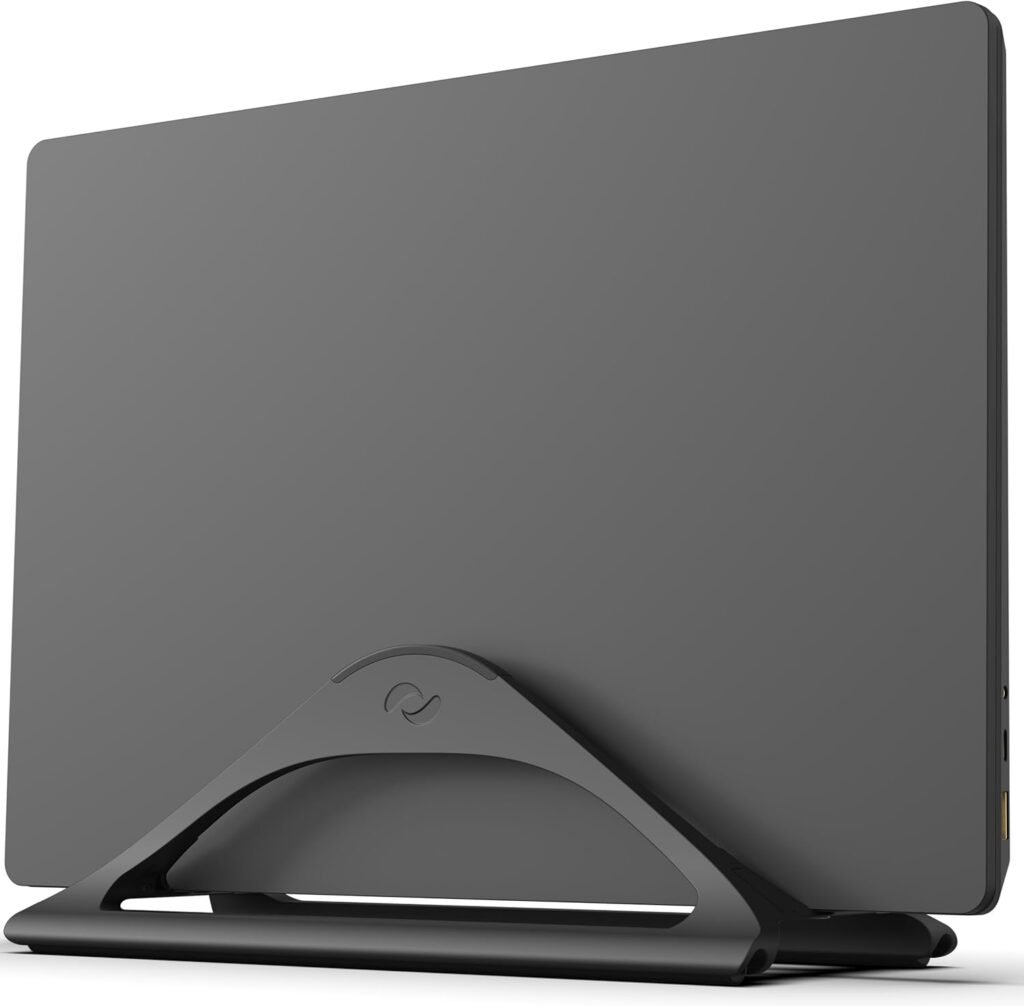
HumanCentric Vertical Laptop Stand
$40
If you want the one that feels like it belongs in a boardroom, this is it.
- Heavy solid zinc alloy construction
- Substantial weight — doesn’t tip when docking
- Adjustable width for different laptop sizes
- Silicone padding to prevent scratching
This is the one I recommend for most professionals. It has real heft. When you slide your laptop in, it feels planted — not precarious.
If your laptop is your primary work machine and you’re connecting to an external monitor daily, this is the “buy once, don’t think about it again” option.
The Multi-Device Setup
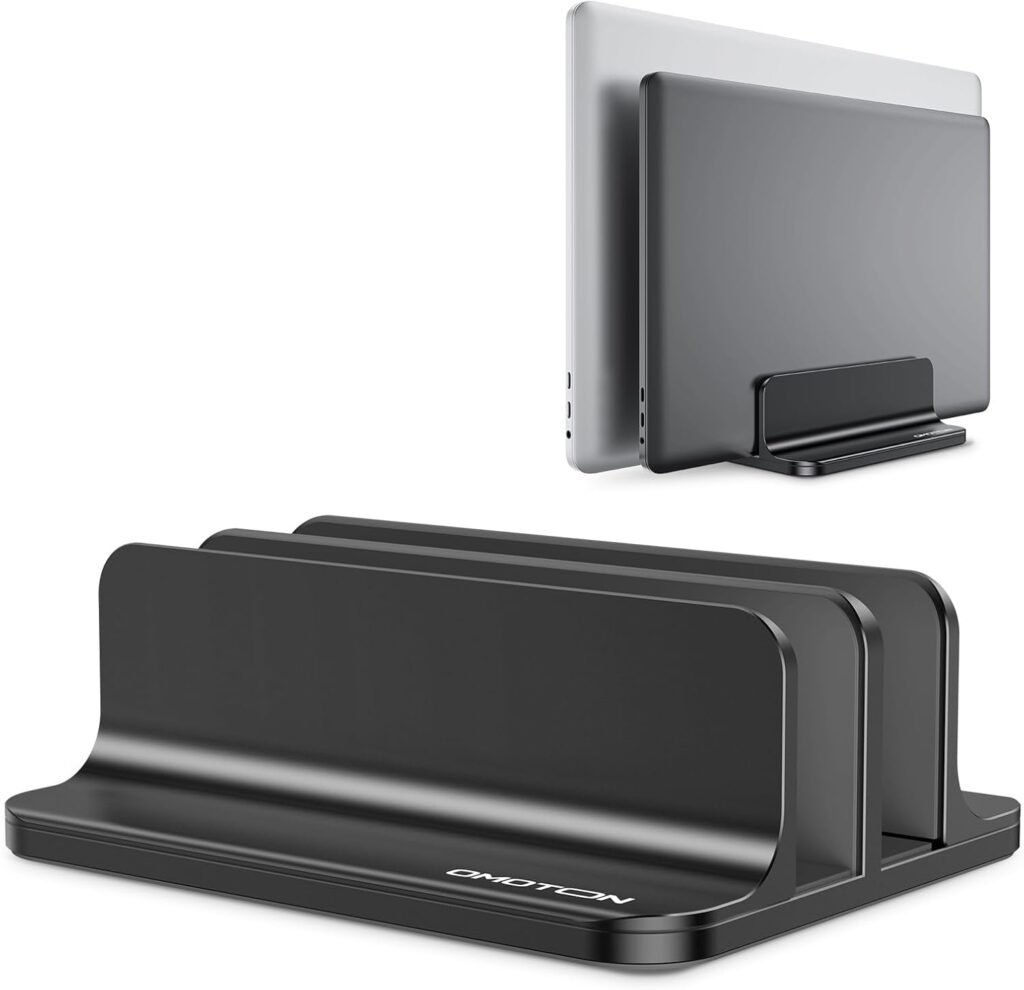
OMOTON Dual Vertical Laptop Stand
$26 (was $33)
For those running a laptop + tablet (or a work laptop + personal laptop).
- Dual slots
- Adjustable width
- Compact footprint
This is ideal if your iPad is part of your workflow — notes, Slack, calendar, etc. It consolidates both devices into one clean vertical line instead of spreading them across your desk like a tech yard sale.
Especially powerful when combined with a clean hydration setup like The Instant Hydration Station— fewer objects horizontally, more structure vertically.
The Minimalist (Mac Aesthetic Lovers)
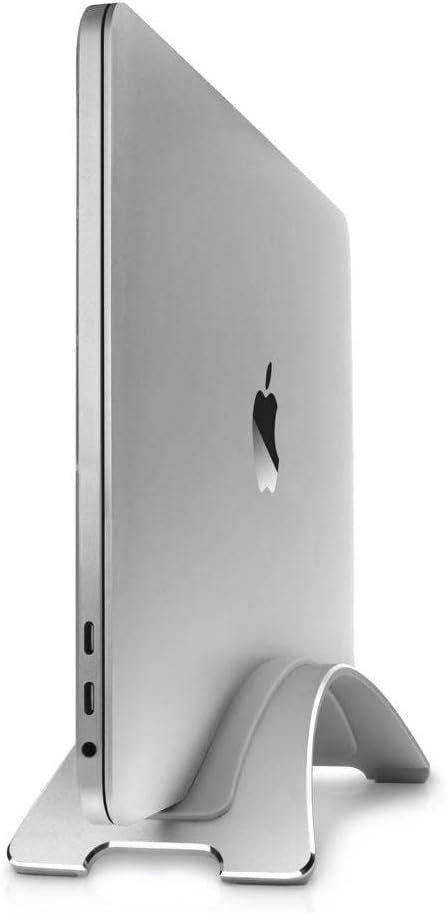
Twelve South BookArc Flex
$60
If design matters to you, this is the most elegant option.
- Sculpted aluminum
- Designed specifically with MacBooks in mind
- Open arc design for airflow
This one disappears visually. It’s subtle. Architectural. Almost decorative.
If your office doubles as a client-facing background for Zoom, this is the refined choice.
The Budget Option
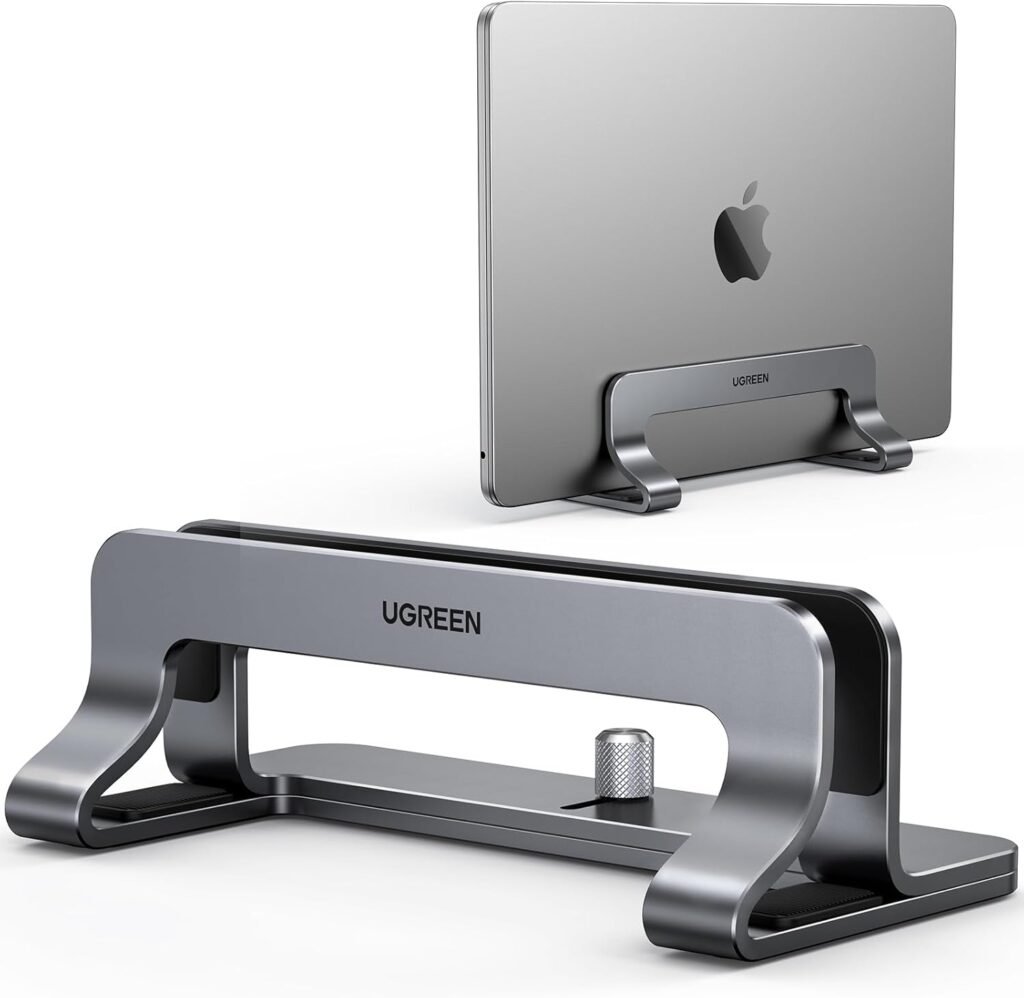
UGREEN Vertical Laptop Stand
$18 (was $23)
If you just want the functionality without the premium material:
- Adjustable width
- Stable base
- Durable plastic construction
It does the job. Cleanly. Securely. No drama.
Perfect for secondary offices, travel setups, or testing the vertical concept before upgrading.
How I Actually Use It
My setup is simple:
- MacBook in clamshell mode
- 32-inch external monitor
- Wireless keyboard and mouse
- Vertical stand pushed slightly behind the monitor edge
That’s it.
The psychological shift is immediate. My desk feels like a workspace — not a laptop parked in the middle of my life.
And because the surface is clearer, it opens space for things that actually improve performance: a physical notebook, a water bottle, maybe light movement equipment nearby (I keep compact tools tucked away as part of The Invisible Home Gym)
The Executive Takeaway
If you:
- Work from a small desk
- Feel visually crowded
- Dock your laptop daily
- Or simply want your workspace to feel intentional
…this is one of the fastest upgrades you can make.
It’s not flashy. It’s not complicated. But it changes how your desk feels — and how you show up to work.
Sometimes productivity isn’t about adding tools.
It’s about standing one up.
Frequently Asked Questions About Vertical Laptop Stands
Does running a laptop vertically in clamshell mode damage it?
No — as long as your laptop is connected to power and properly ventilated. Modern MacBooks and most premium laptops are designed to run in clamshell mode. A vertical stand can actually improve airflow compared to sitting flat on a desk, especially models with open or ventilated designs.
Will a vertical stand scratch my laptop?
Quality stands include silicone or rubber padding where the laptop makes contact. Models like the (HumanCentric Vertical Laptop Stand – Solid Zinc Alloy, Adjustable) and (OMOTON Dual Vertical Laptop Stand, Adjustable Double Slot) are lined to prevent surface damage. As long as you avoid bare metal contact, scratching isn’t a concern.
Is this setup only for people with external monitors?
Yes — and that’s the point. The vertical setup is designed for professionals running an external monitor. If you’re using only your laptop screen, this setup won’t make sense. But if you dock daily, this is one of the cleanest upgrades you can make.
Does it actually improve productivity?
Indirectly, yes. Reclaiming desk surface reduces visual clutter, which improves cognitive clarity. When paired with structured focus systems like 60-Minute Focus Hackthe cleaner environment makes it easier to sustain deep work.
Home Store Links is designed to provide curated, expert recommendations for busy professionals who have neither the time nor the patience for noise. Every product is independently selected by our editorial team here. We may earn a commission on links you click, but our opinions remain entirely our own. Prices and deals are accurate at the time of publishing but are subject to change at any time.