Make the tech finally work for you!
All products featured on HomeStoreLinks are independently selected by our editors. However, we may receive compensation from purchases of products through these links.
So you’ve got an old iPad just sitting around collecting dust while you scroll memes on your phone. But what if I told you that dusty tablet could actually make your life way smarter—without spending hundreds on new gadgets? Here’s how people are turning their ancient iPads into full-on smart home command centers.
Step 1: Make it your control hub
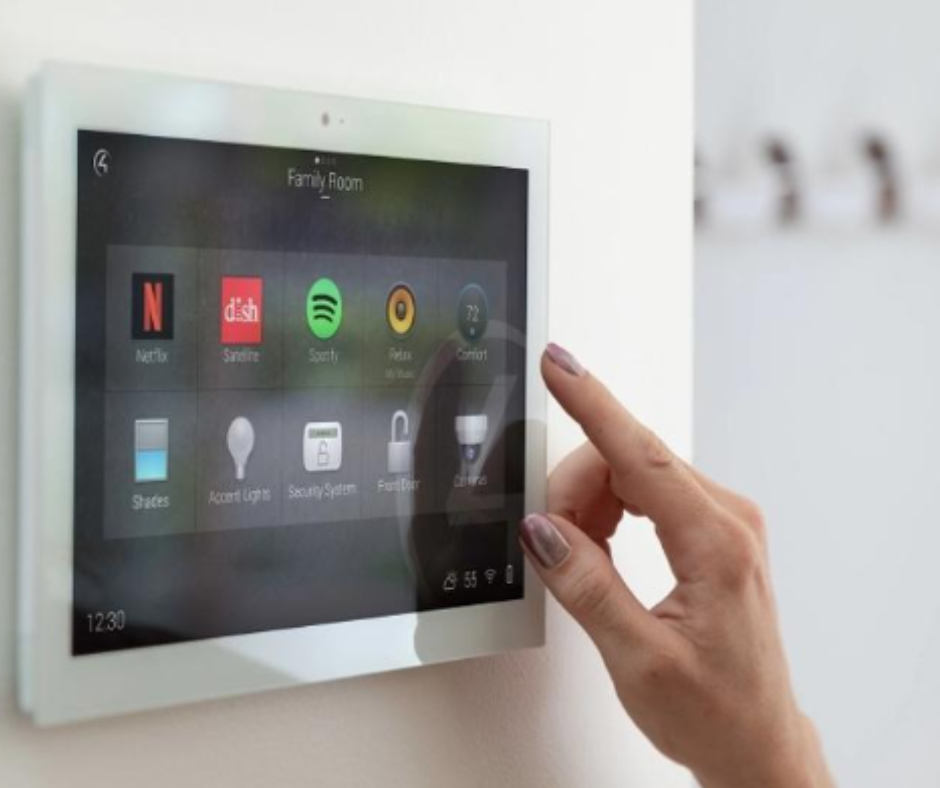
Instead of buying a fancy wall-mounted tablet, just slap that old iPad on a stand. Open apps like HomeKit, Google Home, or Amazon Alexa, and suddenly it’s the brain of your house. Lights, thermostats, speakers—you name it. All controlled from one screen. It’s like having Jarvis, except way cheaper.
Step 2: Automate everything
Once your iPad is a control hub, start setting routines:
- Wake up? Lights turn on gradually.
- Leaving for work? Doors lock automatically, thermostat chills out.
- Movie night? Lights dim, TV turns on, and snacks… well, you still gotta get the snacks.
Step 3: Mount it somewhere classy
A simple tablet stand (or even a cheap wall mount) can make your old iPad feel like a million bucks. Bonus points if you hide the charging cable so it looks like magic.
Step 4: Pair it with smart gadgets
Here’s the fun part—your iPad is just the brain. Here’s a list of all the smart things you can do, plus the exact Amazon products to make it happen:
- Control your lights – Turn your home into a mood board on steroids with the Philips Hue White and Color Ambiance Starter Kit, which lets you dim, brighten, or pick any color for every vibe.
- Turn anything into a smart device – Make your coffee maker, fan, or even your lava lamp obey your iPad with the Amazon Smart Plug, works with Alexa, so you can turn things on or off without leaving the couch.
- Be the climate boss – Set the perfect temperature from anywhere with the ecobee SmartThermostat with Voice Control, letting your iPad control your home’s heating and cooling like a pro.
- Check in on your pets or deliveries – Keep an eye on your cat knocking over plants or your packages with the Ring Indoor Cam, all from your trusty old iPad.
- Make your iPad talk – Ask questions, play music, or yell commands at Alexa using the Echo Dot with Clock, turning your tablet into a mini sci-fi command center.
- Secure your home – Lock or unlock doors remotely with the August Wi-Fi Smart Lock, making your iPad the ultimate keymaster for your home.
- Control your TV like a wizard – Swap remotes for magic by pairing your iPad with the Logitech Harmony Elite Remote, so changing channels and dimming lights feels like directing a movie.
- Monitor energy usage – Keep tabs on which devices are energy hogs with the TP-Link Kasa Smart Wi-Fi Plug with Energy Monitoring, letting your iPad become your personal power guru.
- Set up a digital family hub – Display calendars, reminders, and photos with the Nixplay Smart Digital Picture Frame, turning your iPad into a family command center and slideshow machine.
- Control smart curtains or blinds – Open or close your curtains with a swipe from your iPad using the SwitchBot Curtain Smart Home Automation Kit, so your mornings and nights feel effortlessly luxurious.
Why this works:
You already own the expensive part—the tablet. A few Amazon devices and a little setup, and suddenly your home is smarter, cooler, and infinitely more satisfying. All while keeping your wallet mostly intact.