
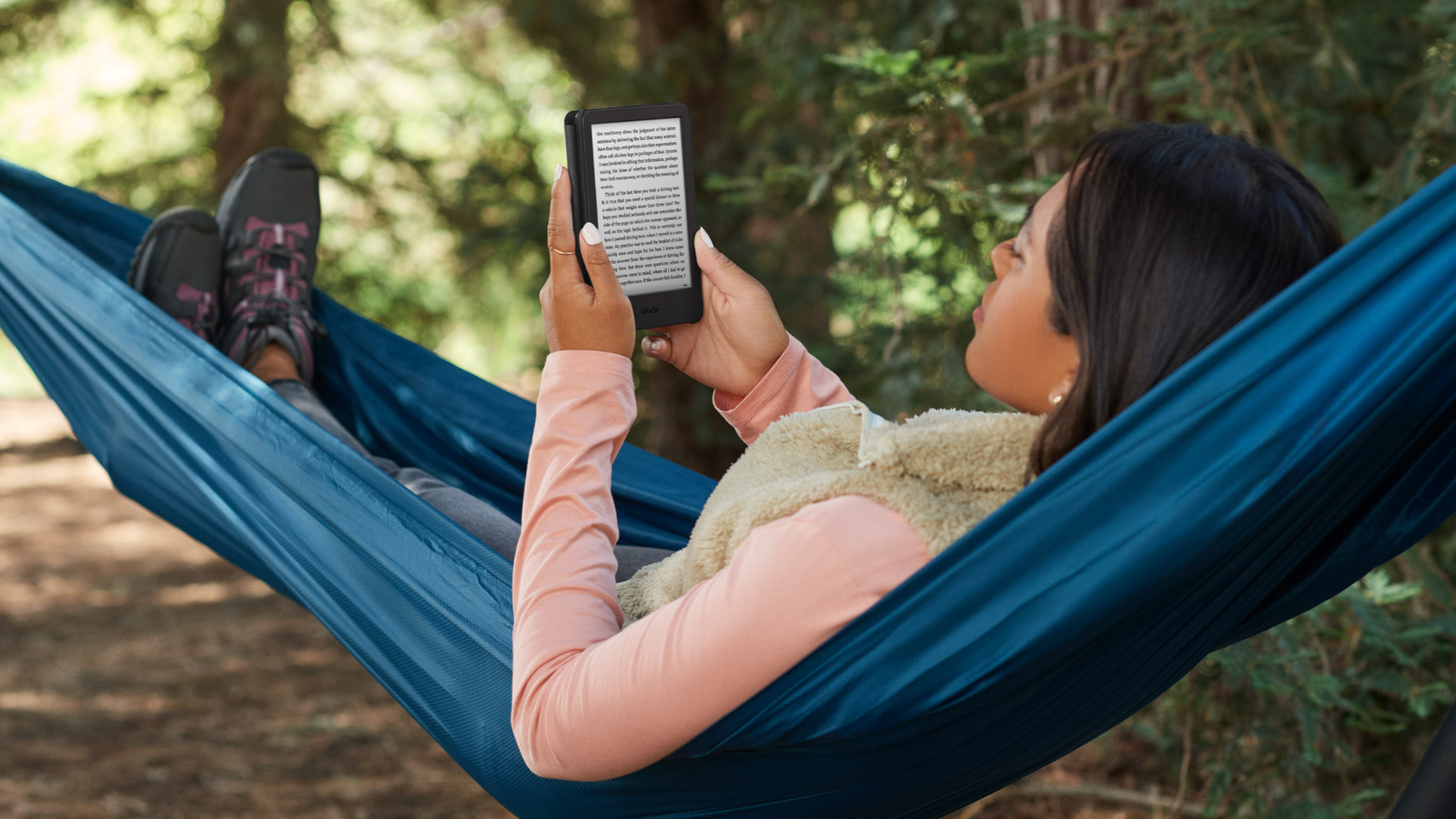
Remember when buying a Kindle was simple?
This post contains affiliate links. When you make a purchase, we may earn a small commission at no additional cost to you.
Remember when buying a Kindle was simple? You either got the cheap one or the waterproof one. Fast forward to 2026, and Amazon has injected serious speed into the lineup. We have 7-inch glare-free displays, 10-week battery claims, and even a color competitor creeping into the space (hello, Kobo).
But here is the truth: You do not need the most expensive model to have a great experience. In fact, for 90% of readers, the “middle child” is actually the smartest money you will spend this year.
I dug through Amazon’s best-seller lists, tested the page-turn speeds, and looked at real human behaviors (reading in the bath, reading in bed with a gooseneck stand, and throwing a Kindle in a bag). Whether you are a budget student, a journaling addict, or just someone who wants to finish one book a month, or just to read at the beach here is exactly which Kindle to buy right now.
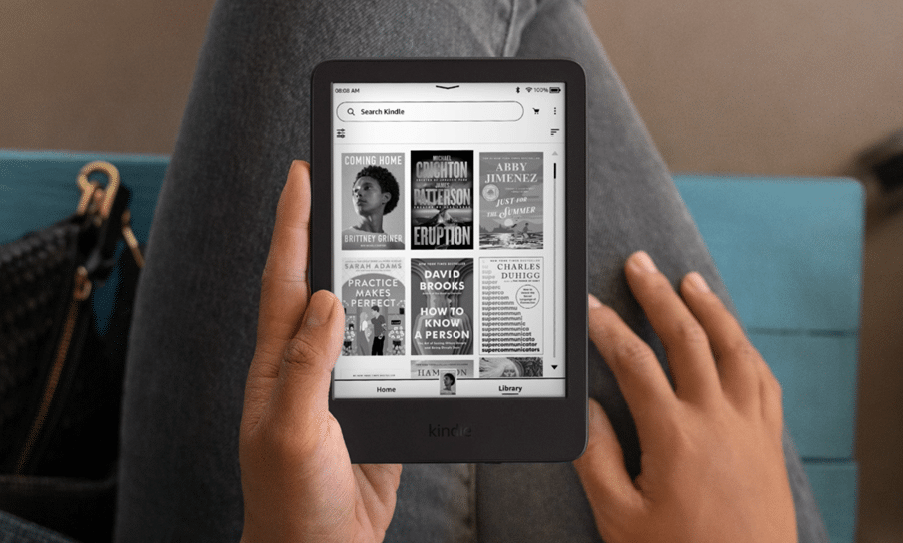
The Main Pick: The “Goldilocks” Choice
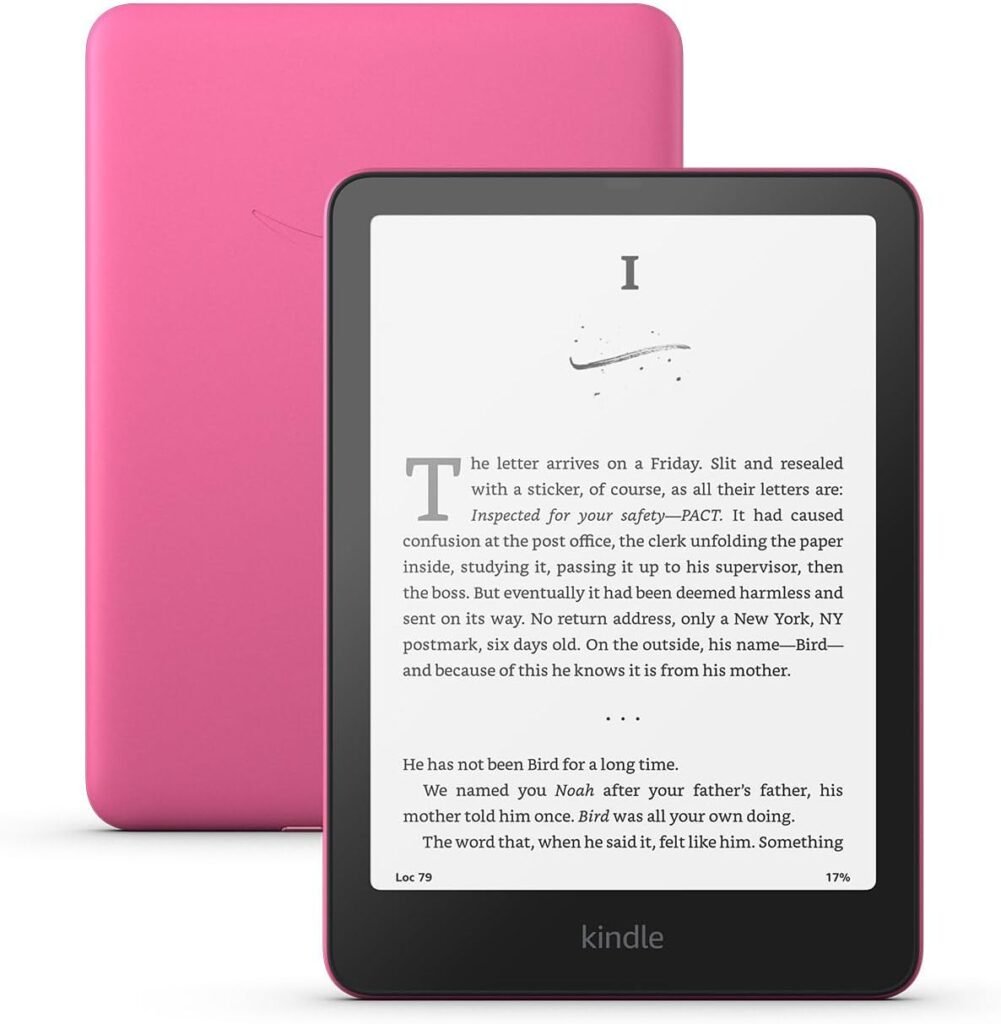
Amazon Kindle Paperwhite (16 GB) – 7″ Display (Raspberry or Black)
If you buy only one device from this list, make it this one.
The newest 2026 edition page turns are genuinely 20% faster—so fast that you stop feeling the technology and just start reading. The 7-inch screen sounds small, but it is the ideal width for holding with one hand while your cat sleeps on the other.
It’s waterproof and glare free so you can read it anywhere. Plus, the raspberry color is actually cute enough that you will not want to hide it in a case (though you should still buy a case). Comes in additional two colors too)
Why it wins: It has the warm light for nighttime reading, the IPX8 waterproof rating for bathtub drops, and USB-C charging so you don’t have to dig through your “old cable drawer.”
Price: $135 (Limited time deal) ($160 list)
Budget Pick: For the Purist
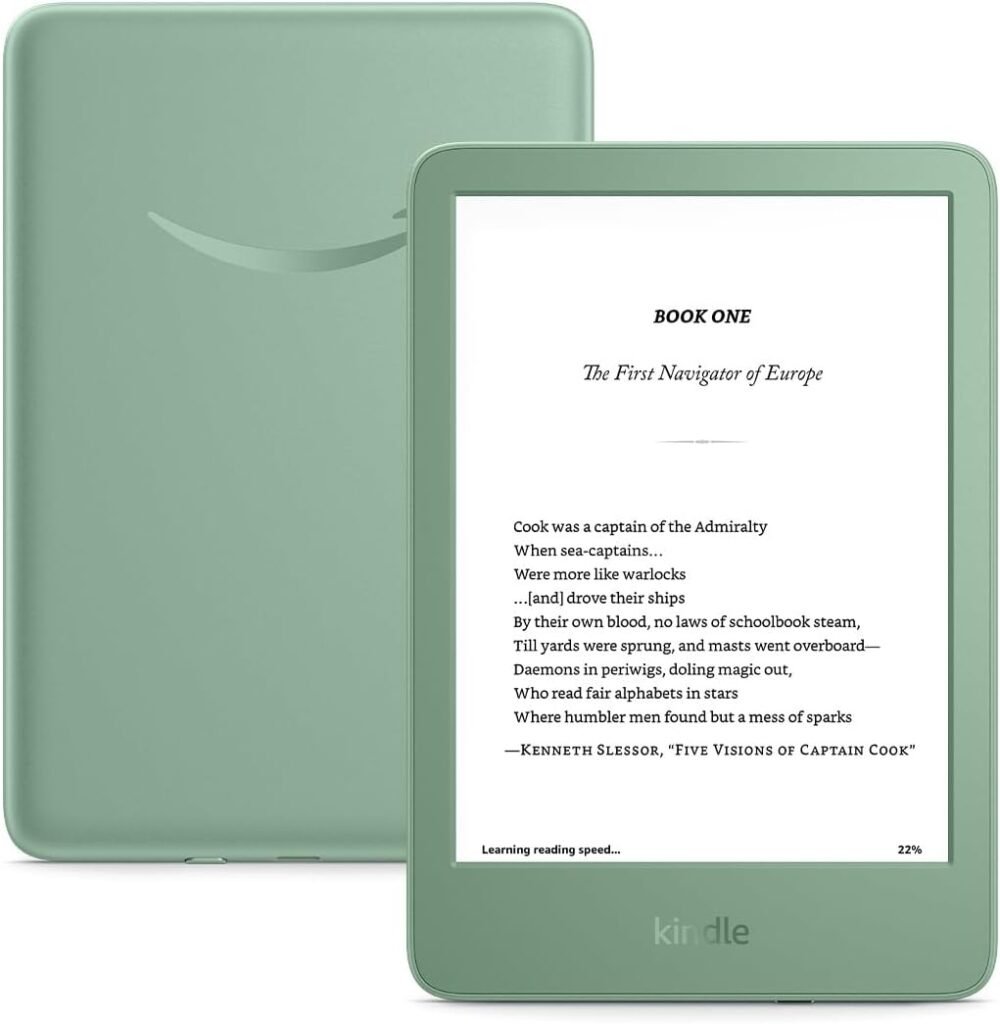
Like-New Amazon Kindle 16 GB (newest model)
This is the lightest and most compact Kindle
This is for the person who misses their iPod Shuffle. No frills, no drama, and almost no weight. At 5.56 ounces, it is lighter than a paperback. The Matcha green color is a vibe, and the higher contrast ratio means text looks like it was printed yesterday, not scanned from a 90s library. You lose the waterproofing and the warm light, but you gain a device that slips into a back pocket so easily you will forget it is there.
Best for: Commuters, beach-goers who stay away from the water, and anyone who says “I just want to read, not set up a docking station.”
Price: $99
The Specialist: For Writers & Journalers
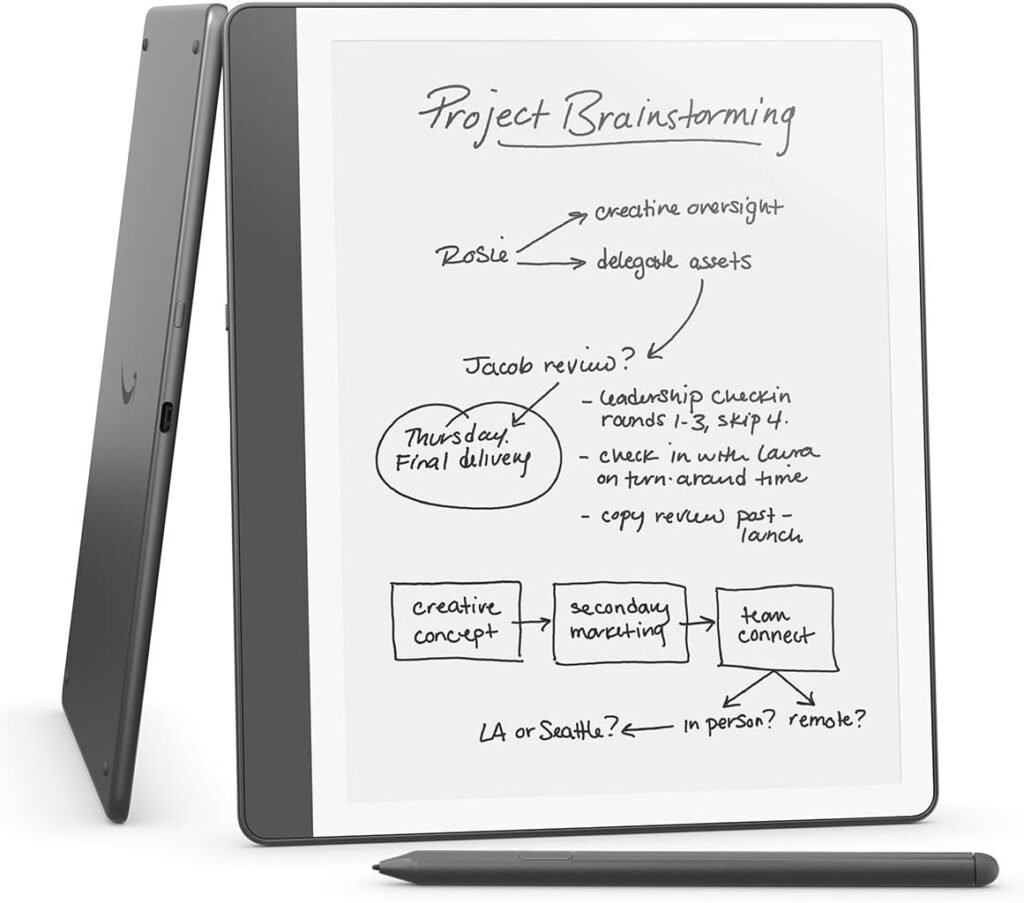
Amazon Kindle Scribe (16 GB) with Basic Pen
Stop right here if you only want to read novels. The Scribe is not a better reader; it is a different category. It is a digital legal pad that also happens to have the Kindle store built-in. If you are the type of person who goes through three Moleskine notebooks a year, or you want to mark up PDF drafts for work, the 10.2-inch screen is glorious. However, if you buy this just to read Harry Potter, you will get a sore wrist.
Verdict: Only buy this if you genuinely want to write/journal. Otherwise, stick with the Paperwhite.
Price: $400
Comparison: Kindle vs. The Competition
Not married to Amazon? In 2026, Kobo is making a serious argument. Here is how the best Kindle stacks up against the best color e-reader.
| Feature | Kindle Paperwhite (2024) | Kobo Libra Colour |
|---|---|---|
| Screen | 7″ Glare-free (B&W) | 7″ Color E Ink Kaleido 3 |
| Best For | Speed & Amazon ecosystem | Comic books & library books (OverDrive) |
| Page Buttons? | No (Touch only) | Yes (Physical buttons) |
| Waterproof | Yes (IPX8) | Yes |
| Price | $134.99 | $199.99 |
Our take: Stick with the Kindle Paperwhite if you buy books from Amazon. Switch to the Kobo Libra Colour if you read a lot of manga, cookbooks, or use your library card exclusively (Libby is built-in).
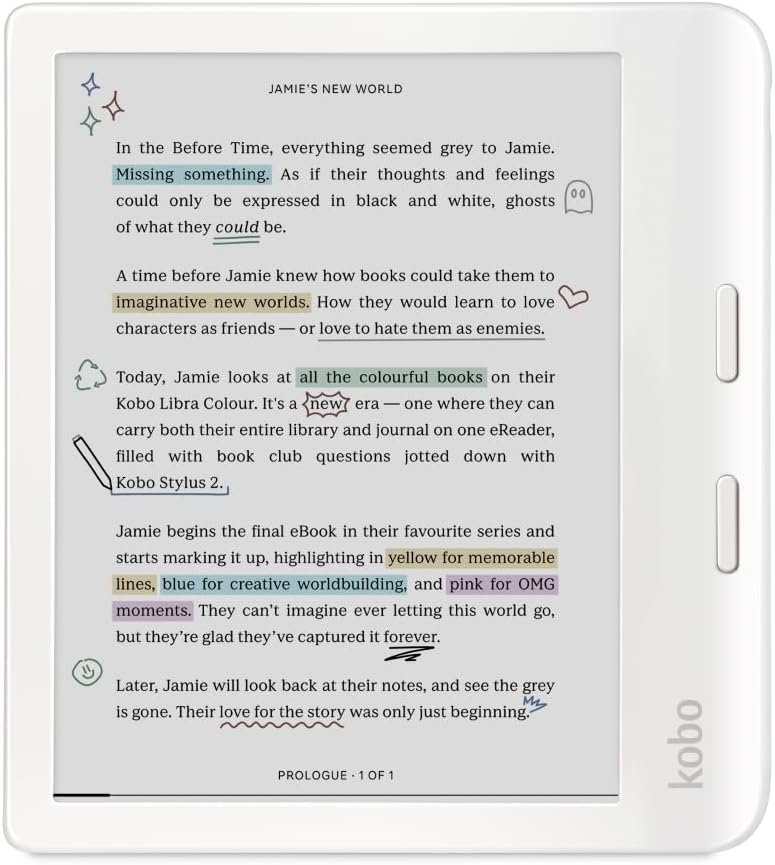
Kobo Libra Colour
The best Kindle alternative for people who hate Amazon’s ecosystem or read comics.
What makes it different:
- Color screen (E Ink Kaleido 3) – manga covers, cookbook photos, and children’s picture books actually pop.
- Physical page turn buttons – something Kindle only gives you on the ancient Oasis or the giant Scribe.
- Built-in OverDrive/Libby – borrow library books directly on the device. No sending to Kindle email addresses. No computer required.
- More storage – 32 GB vs. Kindle’s 16 GB.
The trade-offs:
- Color resolution drops to 150 ppi (black-and-white is still 300 ppi, so text looks fine, but images are softer than an iPad).
- Slower page turns than the 2024 Kindle Paperwhite.
- No Audible if you rely on Amazon audiobooks.
- $199.99 – significantly more expensive than the $134 Paperwhite deal.
Who should buy it: Comic readers, library power-users, people who refuse to give Jeff Bezos more money, and anyone who just really wants buttons.
Who should skip it: Pure novel readers, Audible subscribers, and anyone who already owns 200 Kindle books (migration is a pain).
Our recommendation: The Kobo Libra Colour is not a better Kindle. It is a different thing for a different reader. If you are happy with Amazon, stick with the Paperwhite. If you want color and buttons, go Kobo.
Price: $200 ($230 list)
Best for Kids: The “Parent-Proof” Choice
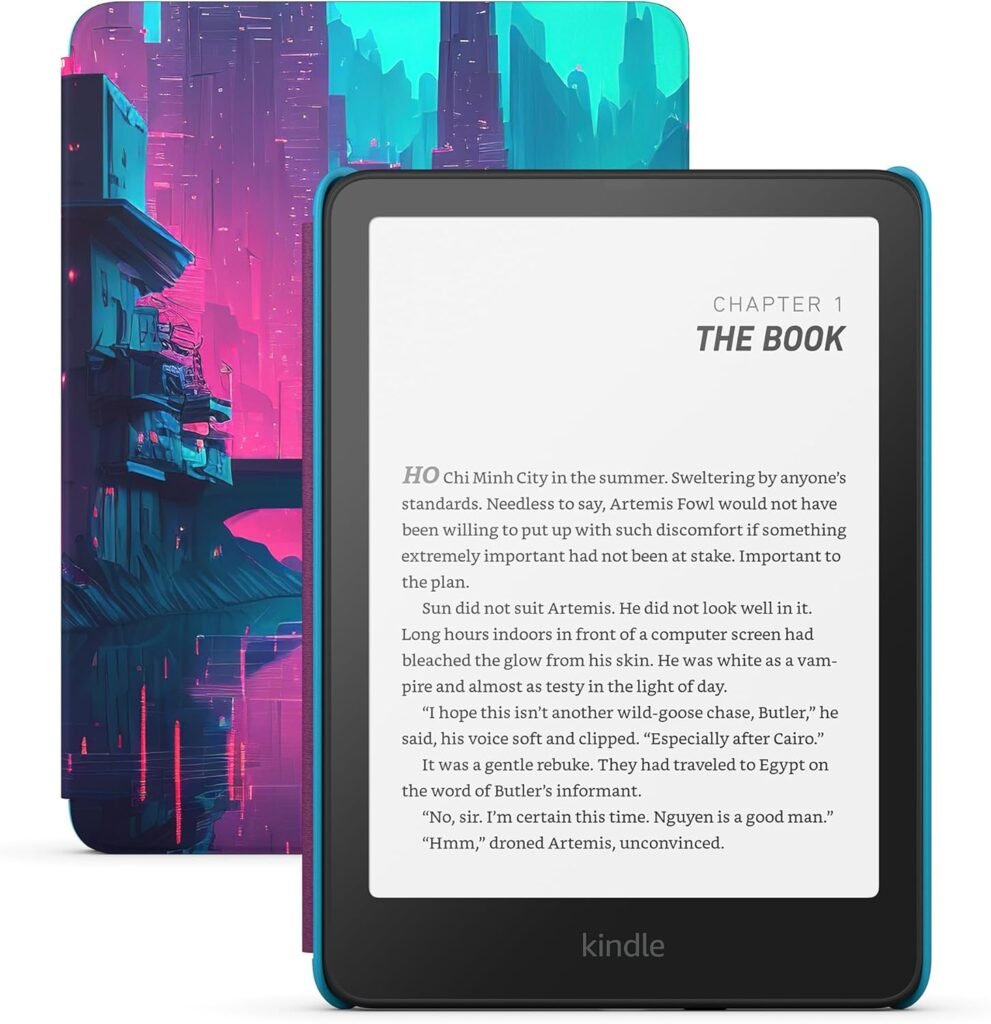
Amazon Kindle Paperwhite Kids (7″, 16 GB)
You get the exact same waterproof Paperwhite hardware as the main pick, but the bundle adds three things that matter: (1) A kid-friendly cover (choose from fun designs like “Cyber City”) that actually looks fun, (2)Includes 6 months of Amazon Kids+ (access to thousands of children’s books, audiobooks, and educational apps) so your child can binge-read Dog Man and Harry Potter without you buying each book individually, and (3) A two-year worry-free guarantee — break the screen? Spill juice on it? Amazon sends you a new one for free.
Yes, the storage is 16 GB instead of 32 GB, but for children’s books (which have fewer images than comics), that is still thousands of titles.
The parental math: Standard Paperwhite + case + no ads + Kids+ subscription = roughly $200+ if bought separately. The Kids bundle usually runs between $160-$180 when on sale. Plus, when your child outgrows it in a few years, you can deregister the device and use it as a normal adult Kindle. Two birds, one waterproof stone.
Who this is NOT for: Teens who want to read manga or graphic novels (get them the Kobo Libra Colour for actual color pages) or kids under 6 who still prefer board books.
Price: $155 ($180 list)
Alternative (If You Want the Cheapest Kids Option)
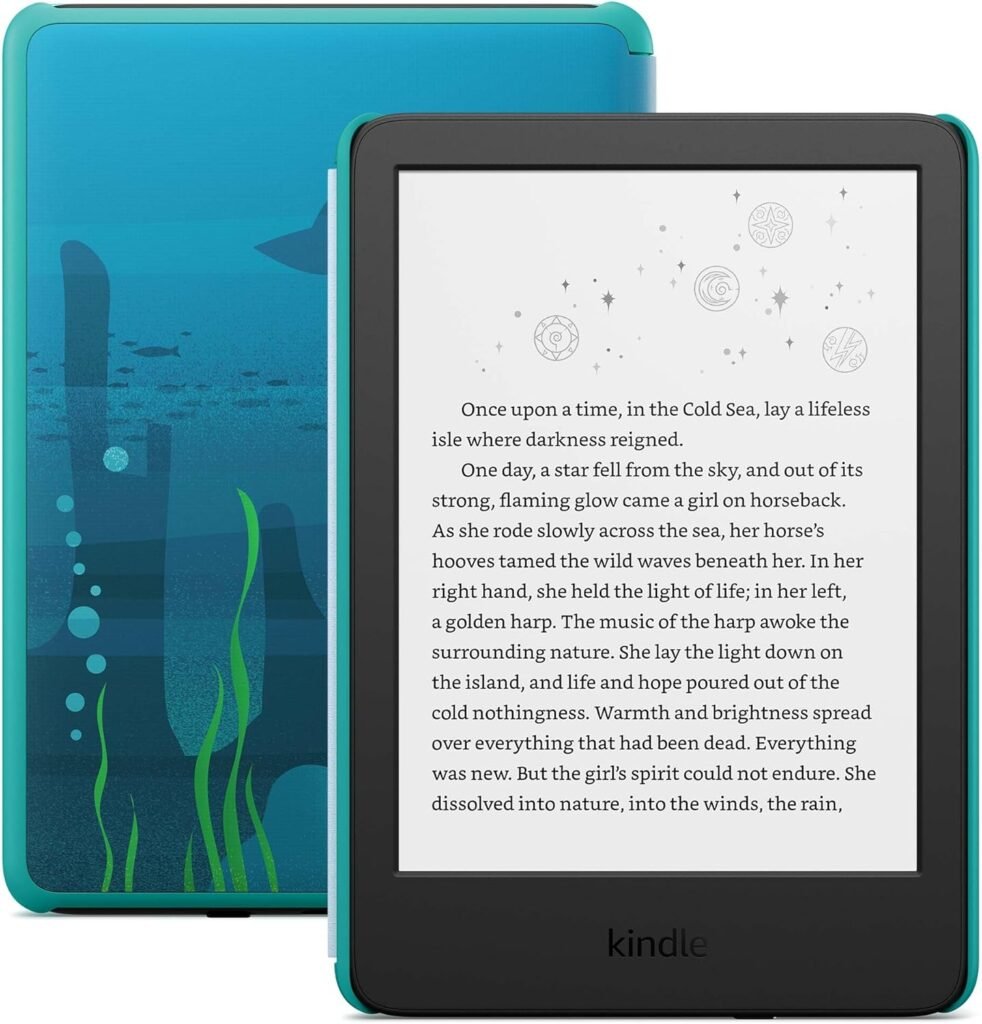
If your child is very young (ages 4-8) or you want the absolute cheapest entry point, Amazon also sells a basic Kindle Kids Edition. It’s lightweight and allows for one handed reading. Bundled with the same Kids+ subscription with unlimited access to thousands of age-appropriate books and 2-year guarantee. If it gets broken, you get free replacement.
Price: $130
Quick Verdict for Parents:
| Age Range | Recommendation |
|---|---|
| Ages 4-7 | Basic Kindle Kids (lighter, smaller, cheaper) |
| Ages 8-12 | Kindle Paperwhite Kids (waterproof + warm light for bedtime reading) |
| Ages 13+ | Standard Kindle Paperwhite (they will want the adult colors anyway) |
Essential Accessories to Consider in 2026
You bought the Kindle, now let’s make it comfortable. These are the three accessories that actually change how you read.
1. The “TikTok Made Me Buy It” Page Turner
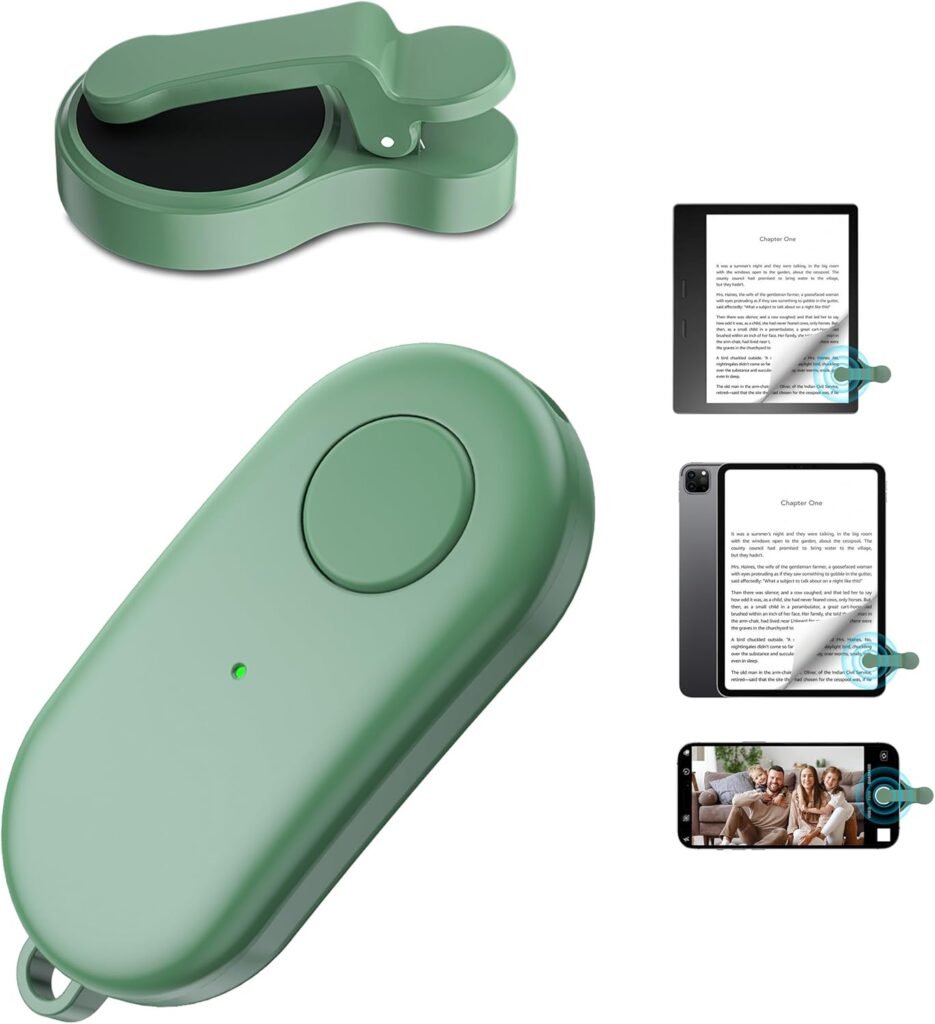
Remote Control Page Turner
Why you need it: Do you read in bed under a warm blanket? A page turner clicker lets you keep your hands under the covers. You clip a small receiver onto the screen edge, and then you hold a remote like a car key fob. It sounds lazy until you try it; then it feels like living in the year 3000. This particular model comes with a wrist strap and a storage bag, so you don’t lose it between the couch cushions. Available in additional colors too.
Price: $15.20
2. The Reading-in-Bed Stand
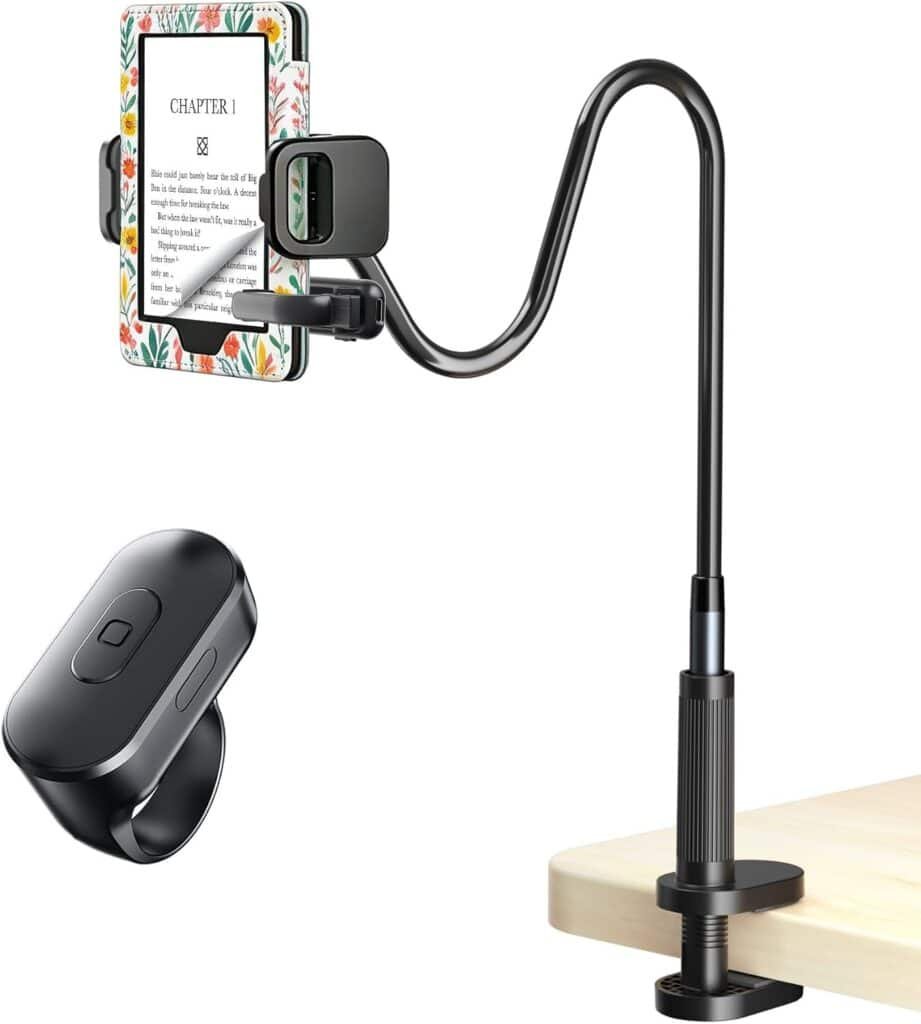
Long Tablet Stand (Gooseneck Holder)
Why you need it: Pair this with the page turner above, and you have a hands-free reading station. This clamps to your headboard or nightstand. The gooseneck is long enough to hover the Kindle directly over your face. It is specifically “case-friendly,” meaning you don’t have to strip your Paperwhite naked to fit it into the clamp.
Price: $30 ($45 list)
3. The Durable Case (Don’t Skip This)
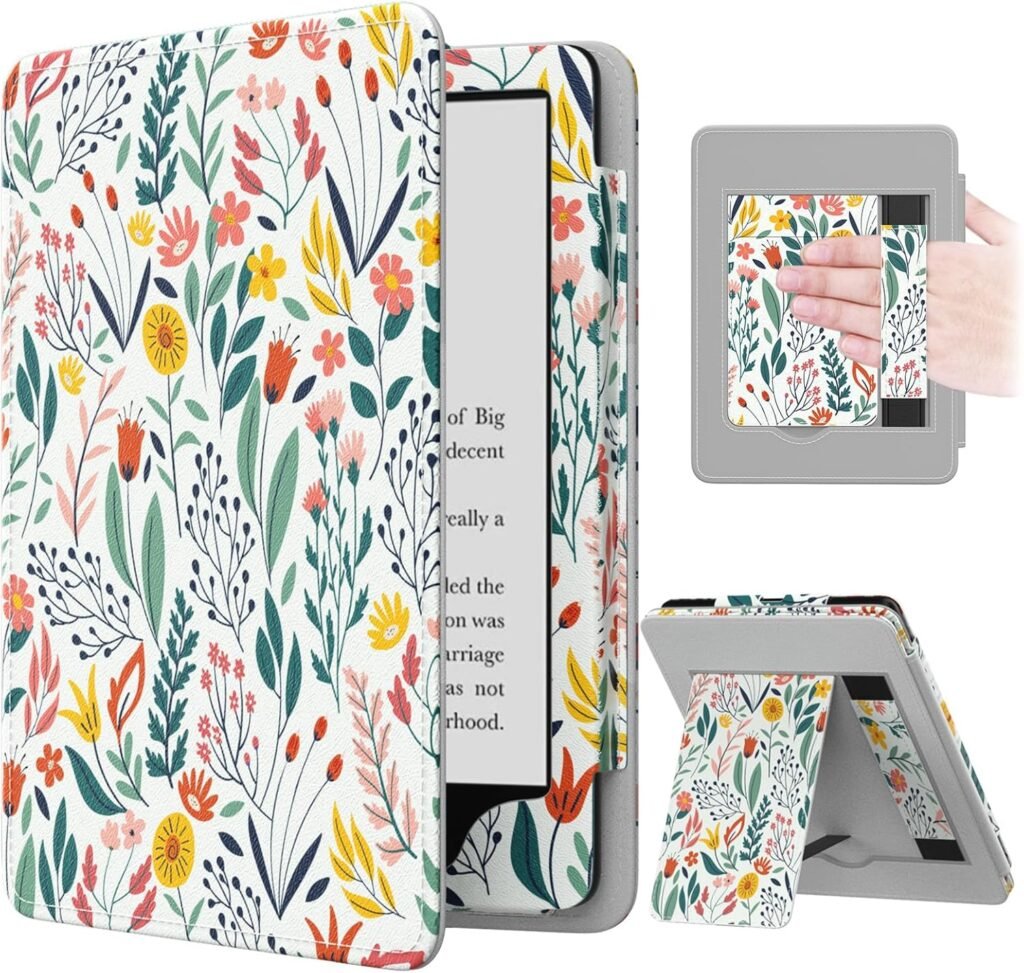
MoKo Case for 6.8″ Kindle Paperwhite
Why you need it: Kindles are surprisingly slippery. The MoKo case is a top-seller because it is light, has a magnetic sleep/wake cover, and feels like a leather journal cover. It absorbs the impact of “falling asleep while reading and dropping the device on the floor.” Available in variety of colors and designs.
Price: $10 ($40 list)
4. The “Overkill is Underrated” Power Bank
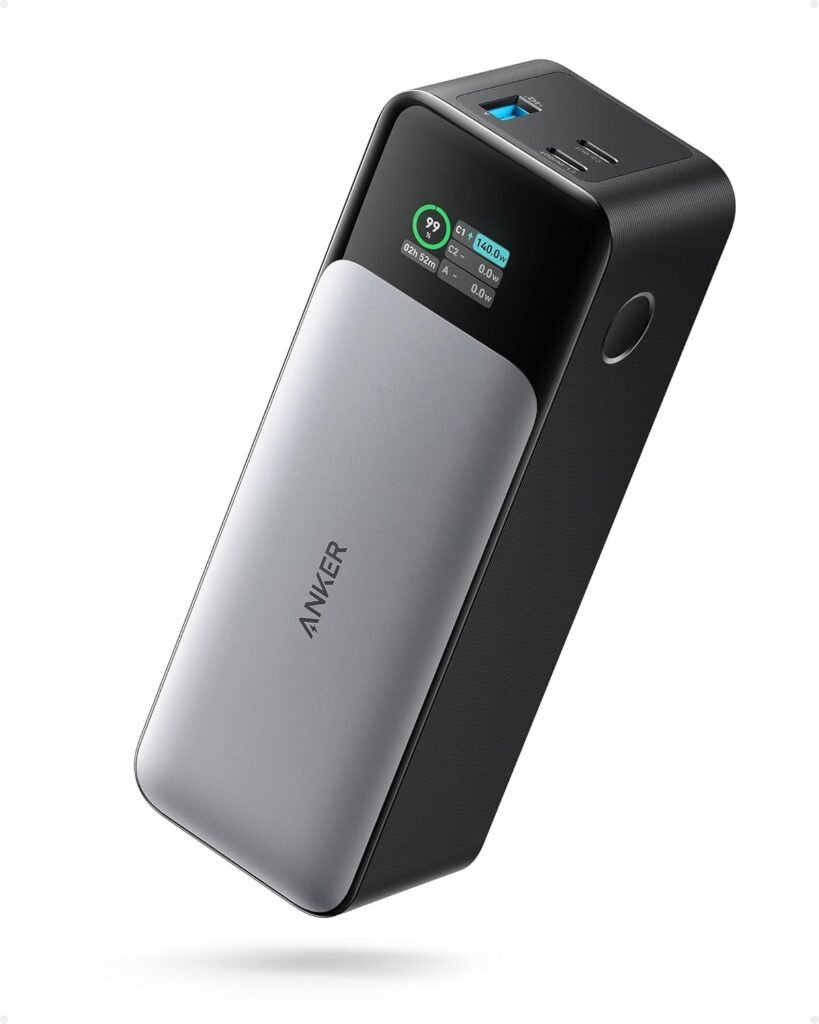
Anker 737 Power Bank (PowerCore 24K) – 24,000mAh, 140W
Why you need it: Technically, you do not need this for a Kindle. A Kindle charges once a month. But here is why the Anker 737 makes the list: Peace of mind and multi-tasking. This is the power bank for people who throw a Kindle, an iPhone, a MacBook, and an iPad into their backpack.
The smart digital screen tells you exactly how many minutes are left until full, which scratches a specific tech-nerd itch. With 140W of speed, it can charge a 16-inch MacBook at full tilt, not just trickle charge it. For your Kindle Paperwhite? It will go from 0% to 100% about ten times over before the Anker needs a wall outlet.
This one is not the cheapest one, but it is the last power bank you will ever need to buy. Plus, if the power goes out for a weekend (yes it happens especially overseas), you can keep your Kindle, your phone, and your laptop running. That is worth the price of admission.
Price: $94.99 (Limited time deal – 14% off)
Frequently Asked Questions (FAQ)
Is a Kindle the same as an e-reader?
Not exactly, but close. A Kindle is a brand of e-reader, just like Kleenex is a brand of tissue. All Kindles are e-readers, but not all e-readers are Kindles (e.g., Kobo, Boox, Nook). The main difference is the store: Kindles lock you into Amazon’s book ecosystem.
What is the best Kindle e-reader to buy in 2026?
The Kindle Paperwhite (16 GB). It offers the best balance of screen size (7″), waterproofing (IPX8), and battery life (up to 10 weeks). Unless you are on a strict budget (get the basic Kindle) or need to take handwritten notes (get the Scribe), the Paperwhite is the safe, smart answer.
Can a Kindle help with dyslexia?
Yes, significantly. All modern Kindles (Paperwhite and basic) support the OpenDyslexic font. Changing the font to this makes letters heavier at the bottom, reducing visual confusion. You can also increase the font size and spacing dramatically, which helps with tracking lines of text.
What’s the difference between Kindle Paperwhite and a standard e-reader?
The Paperwhite specifically has a flat-front screen (no bezel indent) and a warm light feature that turns the screen amber at night. A standard “Kindle” (basic) lacks the warm light and is not waterproof. Compared to a non-Kindle e-reader like the Kobo, the Paperwhite has faster page turns and better integration with Audible.
Do I really need a page turner remote?
No, but you will want one if you read for more than an hour at a time. They eliminate “holding fatigue” and are essential for people with arthritis or carpal tunnel.